Landing page
 E-commerce website
 UX/UI design
 Business software & ERP
 SaaS software
 B2B client portal
 Web App & PWA
 Mobile app
 Artificial Intelligence
 Organic SEO
 AI SEO & GEO

Introduction
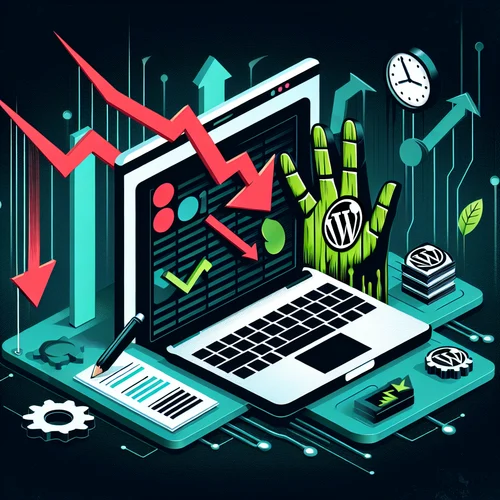
You’ve invested time and resources into your WordPress site, but your traffic is stagnating or declining? You’re not alone. Many WordPress site owners make critical SEO mistakes that sabotage their online visibility. In this article, we reveal the 8 most destructive SEO errors and how to fix them to regain thriving organic traffic.
Understanding the Impact of SEO on WordPress Traffic
Alarming Statistics on Traffic Loss Due to WordPress Mistakes
The numbers speak for themselves: over 70% of WordPress sites lose up to 40% of their potential traffic due to fundamental SEO errors. A recent study showed that after correcting these mistakes, sites experienced an average 37% traffic increase in just three months. These figures demonstrate the crucial importance of a solid SEO strategy for your WordPress site.
Why WordPress Requires Special Attention for SEO
WordPress powers over 40% of websites worldwide, but this popularity has a downside: competition is fierce. Moreover, its unique structure, plugin system, and themes require specific optimizations. Without careful attention to these elements, your site risks getting lost in the ocean of millions of existing WordPress sites, regardless of the quality of your content.
Critical Technical Errors Affecting Your Rankings
Choosing Inadequate WordPress Hosting and Its Consequences
Cheap hosting may seem economical in the short term, but it becomes costly when it slows down your site and degrades your SEO. Overloaded servers, slow response times, and frequent outages signal to Google that your site provides a poor user experience. Opt for specialized WordPress hosting with dedicated resources and an infrastructure optimized for WordPress.
Page Loading Speed Issues That Drive Visitors Away
53% of mobile users abandon a site that takes more than 3 seconds to load. Google knows this and penalizes slow sites. Common causes include:
, Uncompressed images
, Lack of caching
, Too many HTTP requests
, Non-minified JavaScript and CSS
Use tools like PageSpeed Insights to identify and resolve these performance issues.
Incorrect Permalink Configuration and URL Structure
Clean, descriptive URLs that include your keywords are essential for SEO. Avoid the default WordPress structure (?p=123) and opt for a structure like /%category%/%postname%/. This configuration improves not only readability for users but also search engines’ understanding of your content.
Neglecting Security Updates and Their Impact on SEO
Compromised sites are quickly downranked by Google. An unpatched security vulnerability can lead to the insertion of malicious content, redirects, and even blacklisting of your site. Keep WordPress, your themes, and plugins up to date, and implement a robust security solution to protect your site and your SEO rankings.
On-Page Optimization Mistakes That Sabotage Your Visibility
Incorrect Use of H1-H6 Tags and Heading Hierarchy
A consistent heading structure helps search engines understand how your content is organized. Common mistakes include:
, Multiple H1 tags on a single page
, Skipping hierarchy levels (H2 followed directly by H4)
, Meaningless headings without relevant keywords
Structure your headings logically and naturally include your target expressions.
Unoptimized Images: File Size, Dimensions, and Missing Alt Attributes
Unoptimized images slow down your site and miss the opportunity to attract traffic from Google Images. Always compress your images, size them correctly, and add descriptive alt text that includes your keywords when relevant. This practice improves both the accessibility and visual SEO of your site.
Misuse of WordPress Categories and Tags
Too many similar categories or redundant tags create duplicate content issues and dilute your topical authority. Stick to a consistent taxonomic system: use categories for broad themes and tags for specifics. Avoid creating categories or tags for a single article.
Content Mistakes That Diminish Your Authority
Publishing Duplicate or Low-Quality Content
Google favors original, in-depth content. Short, superficial, or duplicated articles harm your credibility and can trigger penalties. Aim for content of at least 800 words for complex topics, providing real added value and precisely answering your audience’s questions.
Lack of Keyword Strategy and Search Intent
Creating content without prior keyword research is like shooting in the dark. Identify not only the searched expressions but also the intent behind those searches:
, Informational (how to…)
, Navigational (searching for a brand)
, Transactional (buy, download…)
, Commercial (comparisons, reviews…)
Tailor your content to match these intents precisely.
Plugin and Theme-Related Mistakes
Plugin Overload Slowing Down Your WordPress Site
Each additional plugin can add queries, code, and resources that slow down your site. Regularly audit your plugins and deactivate those that are redundant or rarely used. Prefer all-in-one solutions over multiple single-function plugins. A fast, lightweight site will always be favored by Google.
Using Themes Not Optimized for SEO
Many WordPress themes, especially free ones, don’t follow SEO best practices. Look for themes with clean code, semantic HTML structure, native mobile compatibility, and speed optimization. A good theme will greatly facilitate your search engine optimization (SEO) efforts.
How to Identify and Fix These WordPress Errors
Essential SEO Audit Tools for WordPress
To detect and fix these issues, use:
, Google Search Console to identify indexing errors
, Yoast SEO or Rank Math for on-page optimization
, GTmetrix or PageSpeed Insights for performance issues
, Screaming Frog to analyze your site structure
, Semrush or Ahrefs for backlink and keyword analysis
Establishing a Regular SEO Maintenance Checklist
Schedule quarterly SEO audits to maintain your site’s optimization. Create a checklist that includes performance verification, analysis of underperforming content, keyword review, and identification of new opportunities. This proactive approach will keep you ahead of the competition and prevent SEO issues from accumulating.
Conclusion
WordPress SEO mistakes can seriously handicap your online visibility, but fortunately, they are fixable. By methodically identifying and resolving these issues, you can transform your site into a true organic traffic machine. Don’t wait for a drastic drop in visibility to take action, start your SEO audit today and quickly reap the benefits of a WordPress site perfectly optimized for search engine ranking.
.cta-container {
background: linear-gradient(135deg, #0234d3, #010569);
color: white;
text-align: center;
padding: 30px;
border-radius: 10px;
margin-top: 40px;
box-shadow: 0 4px 10px rgba(0, 0, 0, 0.2);
}
.cta-container h2 {
font-size: 24px;
margin-bottom: 10px;
color: #FFFFFF !important;
}
.cta-container p {
font-size: 18px;
margin-bottom: 20px;
}
.cta-button {
display: inline-block;
background: white;
color: #000;
padding: 12px 25px;
font-size: 18px;
font-weight: bold;
text-decoration: none;
border-radius: 5px;
transition: 0.3s;
}
.cta-button:hover {
background: #010569;
color: #fff;
}
Do You Have a Project?🚀
Contact us through our contact form, we’ll get back to you within 24 hours.