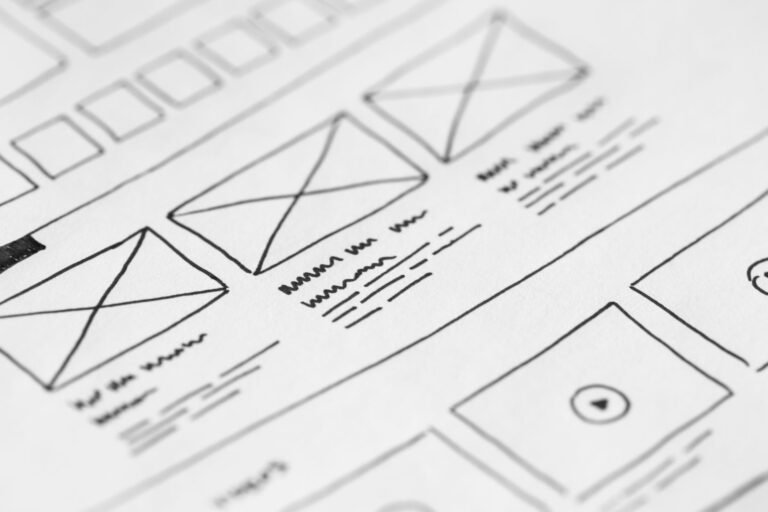
Building a digital agency website without a developer means using a no-code tool like Framer or a CMS like WordPress to design, publish, and grow a professional site without writing a single line of code. In 2026, more than 60% of showcase websites built by small and mid-sized businesses go through this kind of solution, according to an updated W3Techs study.
- No-code tools are democratizing professional website creation, even for digital agencies that lack in-house technical resources.
- Framer excels at design and performance: ideal for modern showcase sites that load fast and look polished.
- WordPress offers a level of flexibility and extensibility that few no-code tools can match, perfect for complex or evolving projects.
- The right choice comes down to three concrete factors: available budget, the team’s technical skills, and the features you actually need.
- A site built without code can absolutely be fast and well-ranked, as long as you follow a few SEO structuring rules from the design stage onward.
Why Should a Digital Agency Build a Website Without a Developer?
A digital agency saves time and cuts costs when it builds websites without a developer: it can launch a client project in a matter of days instead of weeks, test mockups quickly, and save its developers for projects that genuinely require custom code.
The real bottleneck for agencies isn’t a lack of technical talent — it’s time. A developer billed at €400 to €600 a day on a standard showcase site is often a poorly allocated resource. No-code changes that equation entirely: a UX/UI designer trained on Framer can ship an interactive, publish-ready mockup in three or four days.
That’s not a minor detail for an agency’s bottom line. An agency that charges €3,500 for a showcase site and produces it in 15 hours of no-code work instead of 60 hours of development ends up with a completely different margin. No-code also frees up sales teams: they can quote more competitive prices without sacrificing the quality clients perceive in the final product.
Another underrated factor is website maintenance. A poorly maintained WordPress site accumulates security vulnerabilities, outdated plugins, and broken updates. A Framer site, on the other hand, runs on infrastructure managed by the platform — no updates to monitor, no backups to schedule. For an agency juggling 30 or 40 client sites at once, that difference has a real impact on support workload.
If you want to create a digital marketing agency website that stands out, agencies looking to build a complete digital offering — including for institutional clients or public sector contracts — have a real incentive to formalize their method for launching sites this way, so they can respond faster to bids while still keeping quality control over every delivery. That’s exactly what our guide on building an agency website without a developer covers in more depth.
No-code isn’t a shortcut for amateurs anymore. It’s become the standard production tool for agencies that want to move fast without compromising on visual quality.

What Does a No-Code Showcase Website Cost, and Can I Create a Professional Agency Website for Free?
A no-code showcase website costs anywhere from €800 to €4,500 depending on complexity, versus €5,000 to €15,000 for custom development. A small business saves between 40% and 70% on its initial budget, though it has to accept some long-term limits on customization.
Framer vs WordPress Comparison, Criterion by Criterion (2026)
| Criterion | Framer | WordPress |
|---|---|---|
| Starting cost | €15–50/month | €50–3,000 + hosting |
| Learning curve | Fast (2-3 days) | Moderate (1-2 weeks) |
| Web performance | Very high | Depends on theme |
| Scalability | Limited | Very strong |
| Plugin ecosystem | Limited | More than 60,000 extensions |
| Built-in SEO | Good, streamlined | Excellent with a dedicated plugin |
What Are the Essential Features and Real Benefits of a No-Code Site for a Small Business?
A small business launching its first website doesn’t need a CMS that can handle 10,000 pages. It needs a clear, fast site that converts. And that’s exactly where the trade-offs around no-code websites for small businesses get real: you gain time, save money, and stay in control of your own updates — but you also take on some dependency on the platform you choose, and advanced features (complex booking systems, multi-store setups, internal workflows) can sometimes be capped without extra development.
- Website costs drop by 40 to 70% compared to fully custom development.
- Sites can go live in one to two weeks, versus several months for a bespoke build.
- Hosting is often bundled into the subscription, with no separate technical setup required.
- You’re tied to the tool’s ecosystem — migrating away later gets trickier if your needs change significantly.
- Very specific business features (ERP, connected CRM) sometimes require low-code or additional development to pull off.
And yes — free website builders for agencies do exist. Framer’s free tier and the open-source WordPress.org software both let you launch an MVP site without spending a cent upfront; you’ll typically only start paying once you need a custom domain, more storage, or advanced features.
The chart makes it clear: the gap between a no-code solution and fully custom development can be as much as tenfold. For a small business testing a new market or launching a new offer, that ratio matters — there’s no reason to sink €11,000 into a site when €1,500 is enough to validate the concept.
Framer vs WordPress: What Is the Best Website Builder for a Digital Agency, and What Alternatives Exist for Building a Professional Site Without Code?
Alternatives to Framer and WordPress for agencies include Webflow, Wix Studio, and Squarespace, each with a distinct positioning: Webflow for deep visual control, Wix Studio for speed, Squarespace for creative businesses. The right pick depends on how much customization the agency’s clients actually demand.
Framer: The Design-and-Performance Pick
Framer was built by designers, for designers. The tool produces smooth animations, a polished visual finish, and excellent load times thanks to infrastructure that’s optimized from the ground up. An agency selling high-end branding will find Framer’s aesthetic aligns well with its positioning. The catch: it’s not built for large blogs or complex business logic, and its plugin ecosystem is still thinner than WordPress’s. One of the simplest digital agency website design tips here is to lean into consistent typography, generous white space, and clear calls to action — Framer makes that easy to execute well.
WordPress: Flexibility That Lasts
WordPress remains the world’s most widely used CMS (Content Management System) — around 43% of all websites, according to W3Techs. That dominance comes down to one simple fact: almost anything is possible, whether through plugins or additional development. E-commerce, booking systems, multilingual setups, complex CRM integrations — WordPress absorbs all of it without forcing the agency to switch tools midway through a project. That’s a real asset for scalability on any project meant to grow over several years.
Low-Code: The Middle Ground
Between pure no-code and classic development, low-code lets you add custom functionality with a bit of scripting, without starting from scratch. An agency running WordPress with Elementor and a few lightweight PHP hooks is already operating in this zone. It’s often the right compromise for a client who needs one specific feature (a quote calculator, a client portal) without wanting to fund a full development build.
- Webflow: advanced CSS control, but a steeper learning curve than Framer.
- Wix Studio: fast to set up, solid for smaller budgets, less suited to heavy content volumes.
- Squarespace: strong aesthetics for portfolios and creative businesses, though SEO capabilities are more limited.
- WordPress + Elementor: the most flexible combination for needs that keep evolving.
An agency that structures its offering around several of these tools gains real commercial agility: it can steer a client toward Framer for a quick showcase site, or toward WordPress for a project built around an active blog and high content volume. This kind of trade-off is exactly what we cover in more detail in our comparison of showcase, e-commerce, and custom-built websites.

How Can You Launch a Digital Agency Website With No Coding? A Step-by-Step Tutorial for Framer or WordPress
Here’s how to build a website for a digital agency in six steps: define the site’s goal, pick the right tool, structure the pages, apply a theme or template, connect the domain name, then publish and optimize for SEO. Plan on 5 to 15 days depending on how complex the project is.
DIY Digital Agency Website Guide: The Concrete Steps
- Define the site’s main goal: a showcase site, lead capture, or direct sales.
- Pick your tool: Framer for a fast, polished visual result, WordPress for a project that needs to scale.
- Map out the site structure: home, services, about, contact, and a blog if needed.
- Apply a template suited to your industry, then adjust colors and fonts to match your brand.
- Write the content, weaving in the target keywords for each page.
- Connect the domain name and check the SSL certificate before going live.
- Install an SEO plugin or module to structure your meta tags and sitemap.
- Test loading speed and mobile display before the final launch.
On Framer, everything happens inside a single visual editor — no plugins to install, and publishing takes one click straight from the interface. On WordPress, you first need to pick a host, install the CMS, then a theme and extensions — Elementor for the visual layer, Yoast or Rank Math for SEO. It takes a bit longer to get started, but it opens the door to future additions that a 100% no-code tool can’t always accommodate.
A common beginner mistake: ignoring heading structure (H1, H2, H3) because “the design looks nice.” Google doesn’t care how nice it looks if the semantic hierarchy is missing. A page that’s visually polished but lacks a coherent heading structure loses serious ground in organic search — sometimes it takes months to recover.
For agencies that want to industrialize this kind of production on Word

Related Reading
- How to Build a Professional Website in Mauritius in 2026
- Comment choisir le bon type de site web pour votre entreprise : vitrine, e-commerce ou sur mesure ?
Frequently Asked Questions
Can I migrate a Framer site to WordPress, or vice versa?
Migrating directly from Framer to WordPress is tricky, since these are fundamentally different platforms. You’ll generally need to rebuild the site by hand or use third-party tools to export the content — but not the full layout. Going the other way is just as difficult without a rebuild.
What are the best plugins or integrations for SEO on Framer and WordPress?
On WordPress, plugins like Yoast SEO or Rank Math are essential for optimization. Framer comes with built-in SEO tools for meta tags, sitemaps, and redirects. For both platforms, connecting Google Analytics and Search Console is crucial for tracking performance over time.
Can a site built without code perform as well as a fully custom-coded one?
Yes, a no-code site can perform extremely well. Modern platforms optimize the generated code, load speed, and responsiveness automatically. That said, a fully custom-coded site offers total flexibility for very specific optimizations, which can occasionally outpace what no-code tools allow in extreme cases.
How does Framer’s learning curve compare to WordPress’s?
Framer has a steeper initial learning curve because of its advanced design interface, but it rewards you with a lot of creative freedom. WordPress is more approachable for beginners thanks to its theme and plugin system, though advanced customization can also demand real technical skill.